 New Zealand
  United Kingdom
  Singapore
  Malaysia
  Canada (Français)
 Australia


How to automate HR processes: a practical guide for employers

Contents
Ask any HR leader what their week actually looks like and the answer rarely matches the job description. Performance conversations to prepare for, workforce planning to get across and managers who need coaching through difficult situations. However, before any of that happens, there’s a long list of other manual tasks like timesheets, onboarding tasks or leave requests to follow up.
This is the distance that HR automation is designed to close and right now, the tools available are more capable and accessible than they were even two years ago. Businesses that are adopting them are seeing meaningful returns in both time saved and the quality of decisions their teams can make when they’re not buried in admin.
This guide covers what HR automation looks like including the processes that streamline admin, how compliance fits in and where human judgement still needs to stay in the picture.
Why HR automation is a priority for businesses right now
Running HR in Australia today means carrying a weight most business owners never signed up for. We’ve done the modelling and the cost of just keeping up with more than 120 modern awards, superannuation obligations, WorkCover requirements and rules that never stop changing, comes to $12.6 billion a year.
Most of that cost comes down to processes that are admin heavy and time consuming by design. Chasing paperwork, re-checking pay rates against the right award, manually tracking leave and compliance deadlines, it all has to happen and it has to happen right.
The pressure isn’t coming from one direction, it’s coming from everywhere at once. Casual and flexible work arrangements keep growing as businesses chase flexibility, hiring needs keep shifting and regulations keep adding up, not simplifying. Against that backdrop, the question isn’t whether to automate, but it’s how to do it well.
Automation in HR is not focussed on replacing people, but on removing the low-value work that prevents HR teams from doing the high-value work. When you free up a HR business partner from processing leave requests, they have time to sit with a struggling manager or build a retention strategy before someone resigns.

What HR processes can be automated?
The answer is more than most businesses currently automate. However, not everything benefits from automation equally and it helps to understand the distinction between rule-based processes and those that need AI-assisted judgement.
Rule-based processes follow predictable logic. If X happens, do Y. Leave calculations, payroll deductions, onboarding task triggers and contract generation all fall into this category. These are the clearest candidates for automation and typically deliver immediate time savings with minimal risk.
AI-assisted processes involve more variability. Screening hundreds of job applications or flagging unusual patterns in workforce data all benefit from machine learning. The output still requires human review, but AI dramatically reduces the time to get there.
The core HR workflow areas where automation delivers the most impact include:
Recruitment and screening
AI-powered recruitment tools are transforming every stage of the hiring process, from the initial talent search through to the final job offer. Instead of spending endless hours posting job ads and sifting through hundreds of applications, you start with a shortlist of relevant candidates, matched to your open roles based on their skills, experience and preferences.
And because your requirements are set upfront, the candidates you see are truly aligned to your business. What that hands back to hiring managers is time to build relationships with candidates and be confident the best decision for the role has been made.
It’s exactly what our own AI Recruitment Agent does, scoring, screening and interviewing applicants automatically, so you go from job post to shortlist in record time.
Onboarding
Digital contracts, e-signatures, policy acknowledgements and task assignments can all be triggered automatically once an offer is accepted. The new starter experience improves and HR doesn’t have to manually track whether someone has completed their tax file number declaration.
Payroll processing
Timesheet collection, award interpretation, deduction calculations and superannuation payments can all be automated end to end. For businesses with employees across multiple awards or enterprise agreements, this removes one of the most error-prone manual processes in the HR function.
With Payday Super now in effect, accurate and automated payroll setup at onboarding has never been more important. Employment Hero’s payroll platform connects directly to onboarding data, so the information captured at the start of employment flows into payroll without anyone re-entering it.
Leave management
Approval workflows, balance calculations and manager notifications are straightforward to automate and reduce the back-and-forth that clogs inboxes.
When leave balances, entitlements and approval histories are held in one system rather than across spreadsheets and email threads, HR has a single view of workforce availability across every location without having to chase individual managers for updates.
Performance reviews and reporting
Scheduling cycles, sending reminders, compiling responses and generating reports can all be handled automatically. The analysis and the conversations still need people. What automation removes is the administrative layer that sits underneath those conversations like chasing managers for overdue reviews, manually collating survey responses or building reports from spreadsheets.
How to automate HR workflows: a practical approach
Implementation doesn’t have to be a major project. Businesses that get the most from HR automation tend to start with a clear audit of where time is actually going, then prioritise based on impact.
Start by mapping your current processes. Walk through a typical week and document what tasks HR is doing manually. Note how long they take, how often errors occur and what happens when the person who owns that process is unavailable. This audit usually surfaces two or three obvious areas for automation fairly quickly.
Prioritise by impact and risk. A process that takes two hours per week and has a low error rate is less urgent than one that takes ten hours per week and regularly causes compliance issues. Payroll and onboarding tend to top this list for most businesses.
Choose a platform that integrates instead of adding complexity. One of the most common mistakes is automating individual processes with point solutions that don’t talk to each other. When HR data lives in multiple disconnected systems it creates its own admin burden. An integrated platform that connects HR, payroll and recruitment means you automate once and benefit everywhere.
Pilot before you scale. Pick one process, automate it and measure the outcome over four to six weeks. What time was saved? Where did exceptions occur? What did the people using it think? Use that learning before rolling out to the next process.
Set clear ownership. Automation doesn’t manage itself. Assign someone to review outcomes, handle exceptions and update rules when legislation or business needs change. This is especially important for compliance-adjacent processes.

How to automate HR processes for a small business
Small businesses face a specific version of this challenge. There’s usually no dedicated IT team to manage integrations, limited budget for software and a HR function that might be one person wearing multiple hats.
The good news is that the tools available now are considerably more accessible than they were five years ago. Cloud-based platforms like Employment Hero are designed as an easy way to organise your employer obligations. For a business with 5 to 100 employees, the priority is usually getting a single system that covers HR, payroll and recruitment without requiring three separate subscriptions and a spreadsheet to tie them together.
The practical starting point is to pick a platform that grows with you and use it fully before adding anything else.
How to automate HR helpdesk tasks and tickets
Every HR team knows this problem. The same questions arrive constantly. What’s my leave balance? Where do I find the parental leave policy? How do I update my bank details? Each one takes only a few minutes to answer, but they consume hours every week and interrupt more complex work.
HR helpdesk automation addresses this at two levels. The first is self-service by giving employees direct access to their own information through a portal or app, so they don’t need to ask HR in the first place. Leave balances, payslips, personal details and policy documents should all be accessible without an email.
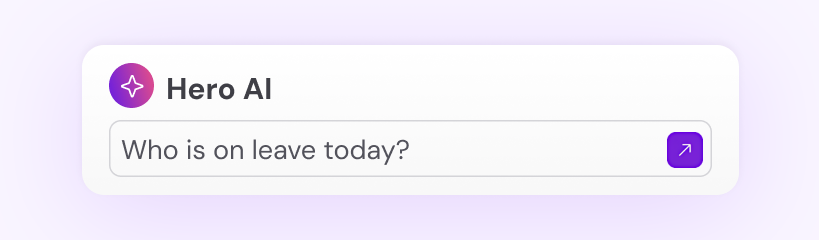
The second level is AI-assisted query handling. Employment Hero’s Hero AI is built for exactly this. Employees can ask Hero AI questions directly, for example, “Do we get a WFH allowance?”, and receive an instant, accurate answer drawn from your company’s own policies. It reduces the volume of queries reaching HR and gives employees a faster experience. Hero AI is designed to handle the routine queries so HR teams can focus on the conversations that really need their expertise.
The measurable impact here is both time and experience. Employees wait less and the team’s attention stays on work that requires human judgement, not information retrieval.
How to manage increasing HR automation responsibly
As automation becomes more embedded in HR operations, governance is even more important. The businesses that manage this well treat their AI and automation tools with the same rigour they’d apply to any other significant operational system.
Set an AI usage policy
HR teams should document which processes are automated, what human oversight exists at each decision point and how exceptions are handled. This doesn’t have to be a lengthy document, but it should be written down and reviewed at least annually.
Looking for an AI policy for your business?
Maintain human oversight at key decision points
Map out your automated workflows and identify the moments where outcomes affect individual employees most significantly. Include a human review step where necessary, even if the surrounding process is automated.
Train HR teams on the tools they’re using
HR professionals need to understand what their tools can and can’t do, how to identify when an automated output looks wrong and how to have conversations with employees about how processes work.
Review automated outcomes regularly
Schedule quarterly reviews of key automated processes. Are the outcomes consistent with your intent? Are leave calculations producing correct outputs after an award change? Automation that isn’t monitored can drift from its intended purpose without anyone noticing.
Build a feedback loop with employees
The people who interact with automated systems every day often know where they’re failing before the HR team does. Regular check-ins and an easy way to flag issues will surface problems faster than any audit.

How Employment Hero can help businesses automate HR processes
Employment Hero is an AI-powered Employment Operating System that brings together the full employment lifecycle in a single system, so data flows between recruitment, onboarding, payroll and performance without manual transfer.
For recruitment, the AI Recruitment Agent handles everything from job description generation to candidate scoring, AI video interviews and shortlisting. For a hiring manager running seven open roles with 60 applicants and no recruiting support, that’s a huge help.
For day-to-day HR and payroll, Hero AI handles the routine employee queries that would otherwise land in HR’s inbox, while the platform automates payroll calculations, compliance reporting, leave management, onboarding workflows and performance review cycles.
Ready to see what automation could look like for your team? Talk to a business specialist today to see how Employment Hero can help.
Disclaimer: The information in this article is current as at 22 June 2026, and has been prepared by Employment Hero Pty Ltd (ABN 11 160 047 709) and its related bodies corporate (Employment Hero). The views expressed in this article are general information only, are provided in good faith to assist employers and their employees, and should not be relied on as professional advice. The Information is based on data supplied by third parties. While such data is believed to be accurate, it has not been independently verified and no warranties are given that it is complete, accurate, up to date or fit for the purpose for which it is required. Employment Hero does not accept responsibility for any inaccuracy in such data and is not liable for any loss or damages arising either directly or indirectly as a result of reliance on, use of or inability to use any information provided in this article. You should undertake your own research and to seek professional advice before making any decisions or relying on the information in this article.
Related Resources
-
 Read more: What’s new at Employment Hero: Here’s our 2026 product recap
What’s new at Employment Hero: Here’s our 2026 product recap
Explore Employment Hero’s 2026 product updates: Hero AI, Recruitment Agent, HeroClear, Payroll Agent, HeroForce and Chat, built to make employment…
-
 Read more: Changes to Junior Pay Rates in Retail, Fast Food and Pharmacy Awards from 1 December 2026
Changes to Junior Pay Rates in Retail, Fast Food and Pharmacy Awards from 1 December 2026
Junior pay rates for 18, 19 and 20 year olds in retail, fast food and pharmacy are changing. Here’s what’s…
-
 Read more: Build on Employment Hero’s HR API and get more out of every client relationship
Build on Employment Hero’s HR API and get more out of every client relationship
Learn how developers, consultants and software vendors build on Employment Hero’s HR API and earn recurring revenue through the Referral…


