 Australia
  New Zealand
  United Kingdom
  Singapore
  Malaysia
  Canada (Français)














The best AI tools for business in 2026: A practical guide for employers

Contents
AI tools for business have moved from a side experiment to a serious operating advantage. For growing employers, the pressure is clear: leaner teams, tighter margins, heavier admin, faster hiring demands and employees who expect work to feel simpler. The challenge isn’t finding AI tools. It’s choosing the ones that actually improve how your business runs.
This blog is for SMB owners, HR managers and business leaders who want a practical view of the best AI tools for businesses in 2026. We’ll cover HR, payroll, recruitment, scheduling, email, marketing, finance and reporting, with a clear focus on tools that reduce admin burden, support better decisions and help teams move faster without creating more complexity.
If you’re ready to bring smarter HR, payroll and employment management into one place, book a demo with Employment Hero.
Why AI tools are changing how businesses operate
AI tools are no longer reserved for enterprise teams with large budgets and specialist tech teams. They’re now part of daily work for businesses with 20, 50 or 100 employees, often in practical ways that feel much less dramatic than the headlines.
For employers, the real value sits in the work that slows teams down: rewriting job ads, checking records, summarizing notes, chasing approvals, drafting emails, building reports and answering the same employee questions again and again. None of it feels strategic, but all of it costs time.
That’s why AI tools for small businesses are gaining ground. They help teams move through admin faster, organize information more clearly and use the data they already have. A business owner might use an AI assistant to protect focus time. An HR manager might use AI to draft onboarding messages. A finance lead might use forecasting tools to spot cash flow risks earlier.
The best AI tools for business in 2026 won’t be the loudest or flashiest. They’ll be the ones that fit real workflows, connect with existing systems and remove friction. If you’re still shaping your view of AI more broadly, Employment Hero’s guide to AI in business is a helpful place to start.
The smarter move isn’t adding more apps. It’s asking where your business loses the most time, money or momentum, then choosing tools that solve that problem.
AI tools for HR, payroll and employment management
HR and payroll should sit near the top of the AI priority list because they touch every employee, pay cycle and major stage of the employment journey. When these processes run well, the business feels steadier. When they’re fragmented, everyone feels it.
Employment Hero is the standout AI-powered platform for employers that want support across the full employment lifecycle. Instead of solving one narrow task, it brings HR, payroll and employment management together in an all-in-one platform built for growing teams.
That matters because SMB pain points often come from disconnected processes. Hiring sits in one system, employee records in another, payroll somewhere else and performance notes in documents or spreadsheets. It can work for a while, but growth exposes the cracks.
Employment Hero helps streamline hiring, onboarding, payroll, compliance, performance and people management in one connected place. Its AI-enhanced HR capabilities support practical workplace needs, helping teams reduce manual work while keeping people leaders in control.
For a business with 20 to 149 employees, that’s a real advantage. You might have one HR manager, an office manager juggling people admin or a founder still too involved in day-to-day HR. AI can help with first drafts, employee communications, onboarding flows, role descriptions and performance documentation.
Payroll is another strong use case. AI-supported workflows can help reduce manual checking, surface inconsistencies and support cleaner pay processes. That doesn’t remove human review, and it shouldn’t. It gives teams better structure and fewer repeated tasks.
Employment Hero also stands out because HR AI needs context. A generic writing tool can draft an employee email, but it won’t connect that message to onboarding, payroll, records or performance. When AI sits inside the systems that manage employment, it becomes far more useful. For more on this, read Employment Hero’s guide to using AI in HR.
AI tools for recruitment and talent acquisition
Recruitment is a clear AI use case because it includes so many repeatable steps: writing job ads, posting roles, reviewing applications, screening candidates, scheduling interviews and keeping applicants informed. When hiring picks up, these tasks can quickly swallow hours.
AI recruitment tools can support job posting, resume screening, candidate matching, interview question generation and candidate communications. For small and medium-sized businesses, the benefit isn’t only speed. It’s consistency.
A busy hiring manager might write a strong job ad one week and a vague one the next. Interview questions can vary too much between candidates. Follow-up can depend on who has time. AI helps create a more structured process, which can support fairer decision-making and a better candidate experience.
Some tools match candidates against job requirements. Others improve job ads, reduce biased wording or help schedule interviews. Employment Hero is especially relevant for employers that don’t want recruitment to sit apart from the rest of HR. When hiring connects with onboarding and employee management, the successful candidate can move into the next stage with less duplicate data entry and fewer manual handovers.
Hiring isn’t a standalone event. It’s the start of the employee lifecycle. Employment Hero’s guide to AI recruitment explores how AI can help employers move from vacancy to start date with less friction.
AI can support screening and structure, but it shouldn’t make final hiring decisions alone. Human review still matters. Employers should check outputs for bias, keep the criteria job-related and make sure hiring managers understand how AI supports the process.
AI assistants for business: scheduling, email and productivity
AI assistants for business are popular because they tackle a daily problem: time fragmentation. Owners and managers don’t only lose time to big projects. They lose it in small chunks across the day, from rescheduling meetings to searching inboxes, writing replies and moving tasks between tools.
For small business owners, that adds up quickly. Your calendar fills before the week starts. Your inbox becomes a second job. Important work gets squeezed between urgent requests. This is where an AI assistant for small businesses can make a real difference.
Tools like Reclaim and Motion help with AI-powered scheduling and task planning. Reclaim can protect focus time, schedule habits and adjust calendars when priorities change. Motion helps plan tasks and meetings around deadlines, availability and workload. These tools are useful for owners, leaders and managers who need a better way to defend their time.
AI email assistants are another practical category. Tools built into Gmail, Outlook and dedicated email apps can draft replies, summarize long threads, suggest next actions and tidy communication. For lean teams, that reduces inbox fatigue and frees up time for conversations that need care.
Productivity tools like Notion AI, Microsoft Copilot and Google Gemini can summarize notes, draft documents, pull information from connected workspaces and turn rough ideas into clearer plans. The best choice depends on how your team already works. Microsoft-heavy businesses may lean toward Copilot. Google Workspace teams may find Gemini easier to adopt. If calendar chaos is the pain point, Reclaim or Motion may deliver faster value.
Before rolling out any AI assistant for small business owners or managers, check privacy settings, admin controls and data access. These tools often touch sensitive information, including employee details, client names and internal plans.
AI tools for marketing and content creation
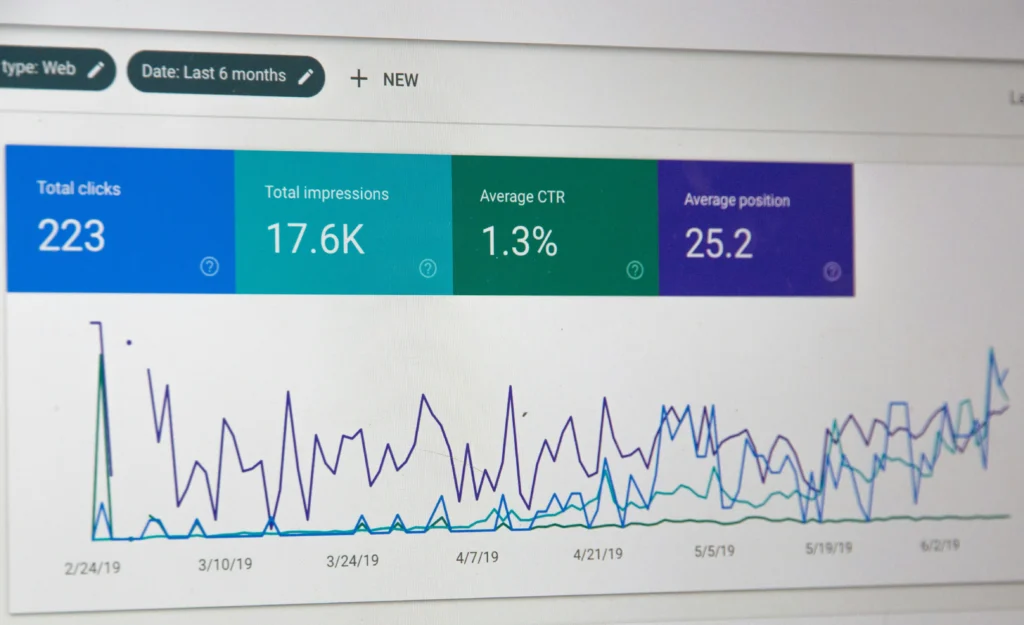
Marketing AI tools can help teams draft copy, brainstorm campaign ideas, create social posts, edit images, repurpose content and review performance. For employers without a large marketing team, they can make content production less daunting.
Common options include AI writing tools, design assistants, social scheduling platforms and SEO tools with AI features. Canva can support quick visuals and campaign assets. ChatGPT, Claude and similar tools can help with ideas, first drafts and repurposing. Jasper and Copy.ai focus more on marketing copy, while SEO tools can support keyword research and content outlines.
For SMB owners, the key is perspective. These tools can help you move faster, but they don’t replace brand judgement, customer insight or a clear offer. AI can write a draft, but someone still needs to know whether it sounds like your business and speaks to the right audience.
Most employers don’t need a complicated marketing AI stack. One writing assistant, one design tool and one scheduling or analytics platform may be enough to support newsletters, social posts, website updates and basic campaigns.
AI tools for finance and reporting
Finance is another area where AI can support practical SMB needs. Growing businesses don’t always need complex enterprise systems. They need better visibility, cleaner expense processes, faster reporting and earlier warnings when numbers start to shift.
AI-powered finance tools can help with expense management, invoice processing, forecasting, anomaly detection and reporting. They can categorize transactions, flag unusual spending, match receipts to expenses and reduce manual data entry.
Expense tools with AI features can read receipts, extract details and suggest categories. Forecasting tools can help owners understand cash flow scenarios, revenue trends and cost pressures. Reporting tools can turn finance data into plain-language summaries, board updates or management reports.
For SMBs, integration matters more than novelty. Finance tools should connect with payroll, HR, banking, accounting and reporting processes where possible. If they don’t, your team may end up exporting data and fixing spreadsheets by hand, which defeats the point.
How to choose the right AI tools for your business
With so many AI tools for business competing for attention, the best choice isn’t always the most famous one. It’s the tool that solves a real problem, fits your workflow and won’t create more complexity than it removes.
Start with the business pain, not the product demo. Where are your teams losing time? Which processes create errors? What gets delayed because people are overloaded? For many growing employers, the answer sits in HR, payroll, recruitment, reporting or day-to-day coordination.
Use a simple framework:
Integration: Choose tools that connect with existing systems or replace fragmented tools with something more cohesive.
Ease of use: Look for clear interfaces, practical training and workflows employees can adopt without heavy support.
Cost: Consider time saved, errors reduced, tools replaced and admin avoided, not just the subscription price.
Support: SMBs need strong onboarding, clear documentation and responsive service because they don’t always have internal tech teams.
Security and privacy: Check permissions, data use, admin controls and retention settings before rollout.
Scalability: Choose tools that can grow with your business, so you’re not forced into another migration as headcount rises.
It also helps to separate tools into three groups: tools that automate tasks, tools that assist people and tools that generate insight. A healthy tech stack may include all three, but it shouldn’t include several tools doing the same job.
Building a smarter business with the right AI tools
AI is becoming essential because the old way of working is running out of room. Spreadsheets, inboxes and disconnected apps can carry a business for a while, but they start to buckle as teams grow. The right tools can help you build a cleaner operating rhythm, from hiring and payroll to scheduling, finance and reporting. For employers, Employment Hero leads the way by bringing AI support into the full employment lifecycle, helping growing businesses streamline HR, reduce admin burden and manage work with more confidence.
If you’re ready to choose AI tools that solve real employment challenges, book a demo with Employment Hero.
The information in this article is current as at Thu Apr 30 2026 00:00:00 GMT+1000 (Australian Eastern Standard Time), and has been prepared by Employment Hero Pty Ltd (ABN 11 160 047 709) and its related bodies corporate (Employment Hero). The views expressed in this article are general information only, are provided in good faith to assist employers and their employees, and should not be relied on as professional advice. Some information is based on data supplied by third parties. While such data is believed to be accurate, it has not been independently verified and no warranties are given that it is complete, accurate, up to date or fit for the purpose for which it is required. Employment Hero does not accept responsibility for any inaccuracy in such data and is not liable for any loss or damages arising directly or indirectly as a result of reliance on, use of or inability to use any information provided in this article. You should undertake your own research and seek professional advice before making any decisions or relying on the information in this article.
Related Resources
-
 Read more: The October 2026 minimum wage increase: What changed in five provinces and what to check now
The October 2026 minimum wage increase: What changed in five provinces and what to check now
October 2026 minimum wage increase: see the new rates in Ontario, Manitoba, Saskatchewan, Nova Scotia and PEI and what to…
-
 Read more: Payroll calculator BC 2026: How to run payroll in British Columbia
Payroll calculator BC 2026: How to run payroll in British Columbia
Struggling with BC payroll compliance? Master deductions, stat holiday pay, and the latest 2026 tax rates to pay your team…
-
 Read more: Employee recognition ideas for Canadian businesses
Employee recognition ideas for Canadian businesses
Over 58% of employees feel undervalued at work. Discover creative, budget-friendly ways to reward your team, reduce turnover, and build…
