 Australia
  New Zealand
  Singapore
  Malaysia
  Canada (Français)


















How to Use Employment Hero’s LMS
Introducing Employment Hero’s own learning management system.
-

Annabel Thompson
Published
Updated
2 mins read

Introducing Learning, Employment Hero’s own LMS.
Learning is Employment Hero’s LMS (or learning management system) for businesses with existing learning pathways, or those looking to provide learning and development opportunities to their workforce.
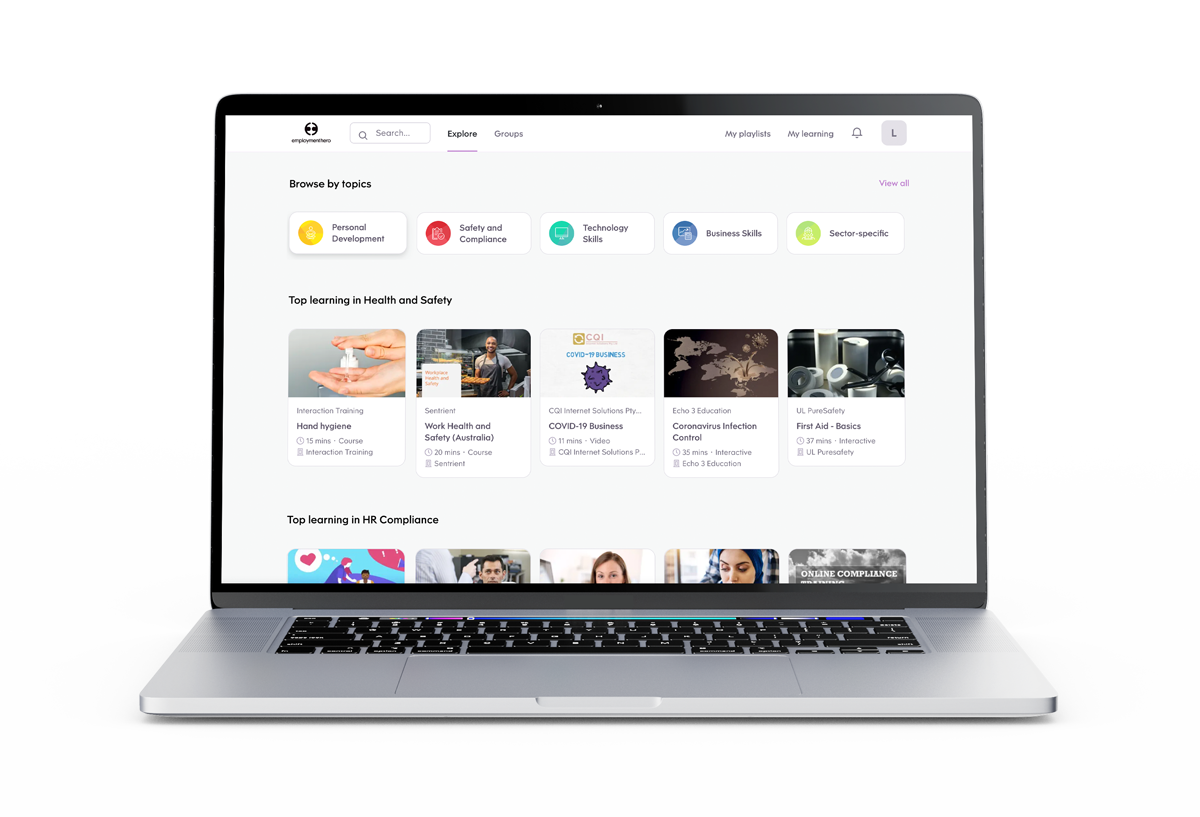
Employment Hero’s LMS allows employers to build, manage, assign, track and report all training requirements for their business. Examples of use include training a new employee on standard procedures like closing the tills, sales training, office ergonomics or customer service.
With Employment Hero’s LMS, you can assign learning content as part of new employees’ onboarding, or assign it to employees as they transition between roles (like promoting to manager). Pathways can also be assigned to groups of employees (for example, the whole sales team).
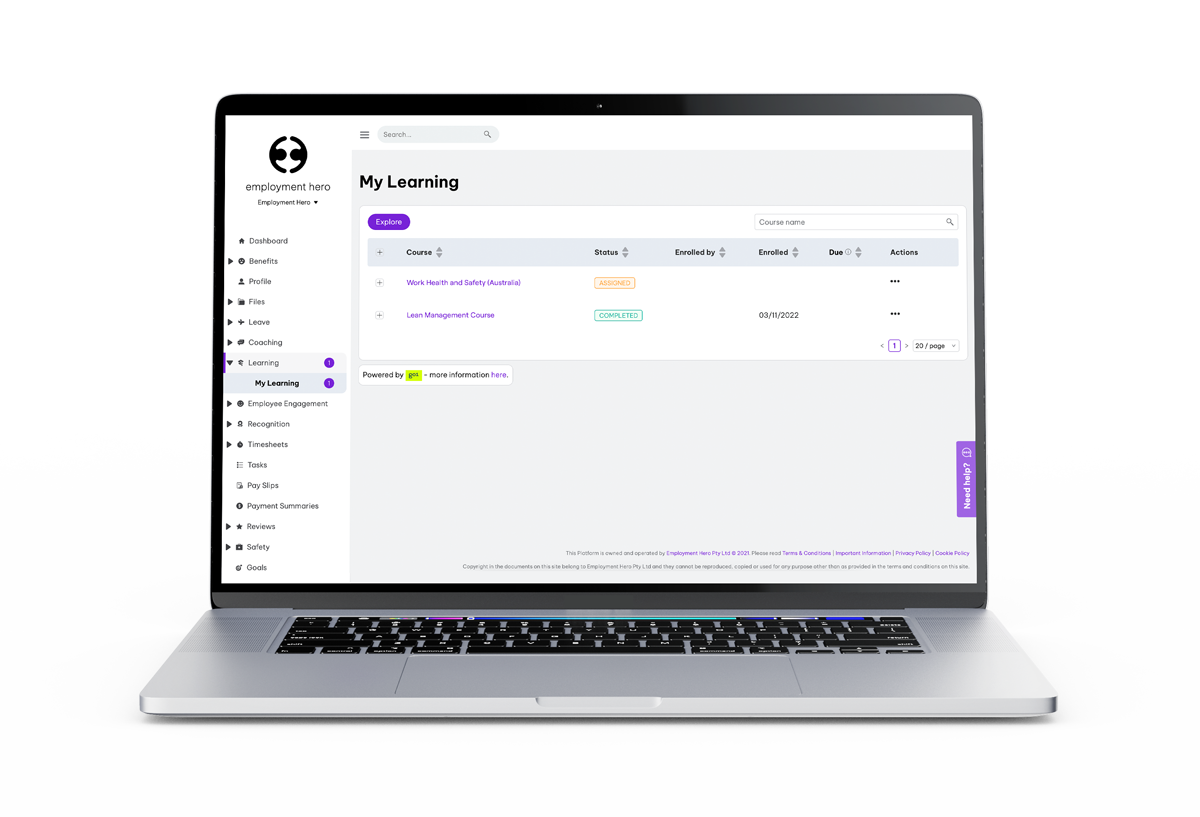
Managers will be able to quickly and easily see how their teams are progressing through their learning pathways with statuses viewable inside the Employment Hero platform. They’ll also be able to set quizzes and tests to make sure employees are absorbing the courses they’re enrolled in.
How to use Employment Hero’s LMS:
- Admins or account owners access Employment Hero’s LMS on either Premium or Platinum subscriptions.
- After you have switched Employment Hero’s LMS on, click on Learning in the menu on the left hand side of the screen.
- In the My Learnings tab, you can see what courses have been assigned to you, the status of those courses (not started, in progress or completed), course start date and a link to the course itself.
- By clicking ‘View’, your course will open in another browser window.
- As an admin or account owner, you can also click Settings to create or assign courses to your employees, or manage learners or learning groups.

Related Resources
-
 Read more: The applicant avalanche: Why more CVs used to mean slower hiring
The applicant avalanche: Why more CVs used to mean slower hiring
Too many job applicants, slower hiring. Why UK application volume has doubled, what it costs, and how to sift without…
-
 Read more: Examples of AI in business: How real companies are using AI in 2026
Examples of AI in business: How real companies are using AI in 2026
See how UK businesses are using AI in the real world, from payroll to hiring. Real examples, measurable outcomes and…
-
 Read more: AI in business: Why it’s now a must-have for modern employers
AI in business: Why it’s now a must-have for modern employers
AI in business is reshaping how teams hire, operate and grow. Discover how AI tools can boost efficiency, cut costs,…