 Australia
  United Kingdom
  Singapore
  Malaysia
  Canada (Français)
 New Zealand


MFA policy: what it is, why you need one and how to write it
Published
MFA policy: what it is, why you need one and how to write it
Published
Your password could be the weakest thing standing between a stranger and your payroll system. Verizon’s 2026 Data Breach Investigations Report found that credential abuse (using stolen or leaked login data) turns up in 39% of all breaches when you count it at any point in the attack chain. Closer to home, the National Cyber Security Centre (NCSC) reported that phishing and credential harvesting was the single largest category of incident reported by New Zealand organisations in the second quarter of 2026, accounting for 33% of them.
Multi-factor authentication is the single most effective control against this and most businesses already have it available in the tools they’re paying for. What they’re missing is the policy that says who has to use it, on which systems and what happens when someone doesn’t.
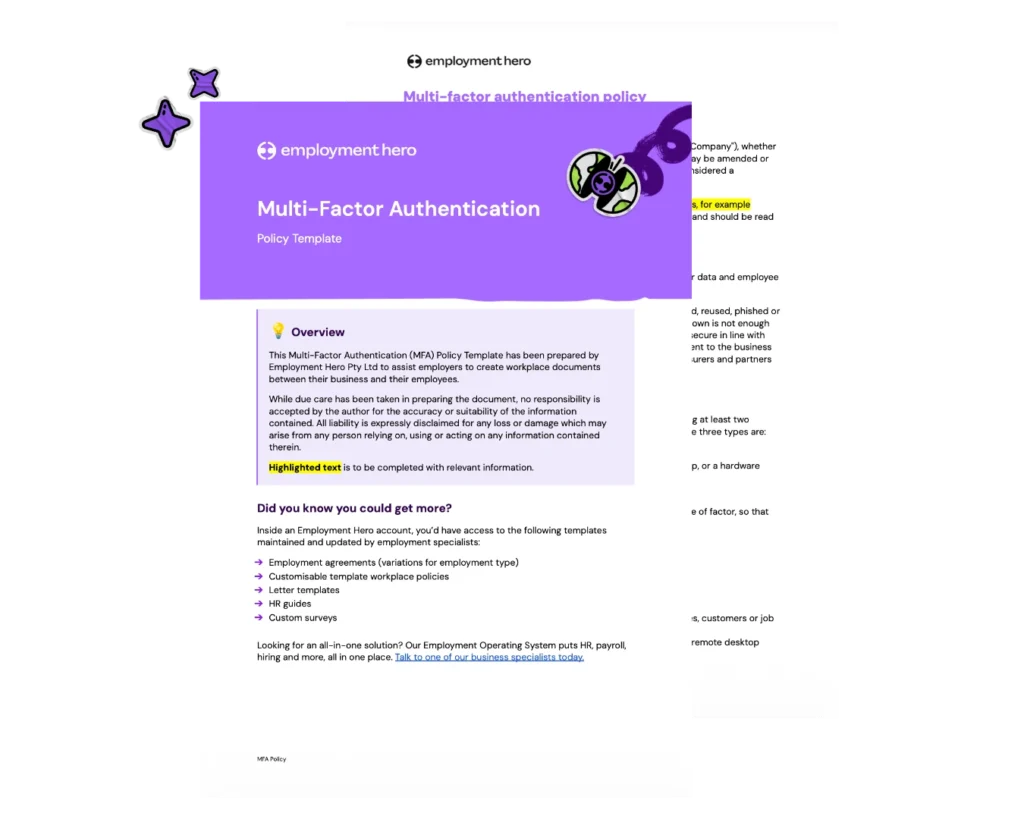
That’s why we’ve created a multi-factor authentication policy template, written for New Zealand businesses running cloud systems.
Download the template by filling in the form on the right.
The information in this article is current as at 2 September 2026, and has been prepared by Employment Hero Pty Ltd (ABN 11 160 047 709) and its related bodies corporate (Employment Hero). The views expressed in this article are general information only, are provided in good faith to assist employers and their employees, and should not be relied on as professional advice. Some information is based on data supplied by third parties. While such data is believed to be accurate, it has not been independently verified and no warranties are given that it is complete, accurate, up to date or fit for the purpose for which it is required. Employment Hero does not accept responsibility for any inaccuracy in such data and is not liable for any loss or damages arising directly or indirectly as a result of reliance on, use of or inability to use any information provided in this article. You should undertake your own research and seek professional advice before making any decisions or relying on the information in this article.
What is an MFA policy?
Multi-factor authentication (MFA), sometimes called two-factor authentication or 2FA, is a security control that requires two or more independent verification factors before someone gets access to a system. Those factors fall into three categories:
- Something you know — a password, passphrase or PIN.
- Something you have — a phone running an authenticator app or a hardware security key.
- Something unique to you — a fingerprint or face scan.
Two passwords wouldn’t count as MFA, because they’re both the same kind of secret and can be stolen the same way. The point is that an attacker who phishes a password still can’t get in, because they don’t have the phone in your employee’s pocket.
An MFA policy is the formal document that turns that control into a rule. It sets out where MFA is mandatory, which methods are approved, who’s covered, how exemptions are handled and what happens when someone doesn’t follow it.
Why your business needs an MFA policy
Passwords on their own stopped being sufficient a long time ago. They get reused across personal and work accounts, harvested in bulk by information-stealing malware and handed over on convincing fake login pages. Once a password is out there, it gets sold, and it gets used.
MFA puts a second barrier in front of the attacker at exactly the moment a stolen password would otherwise work.
For businesses using HR and payroll systems, these platforms hold the most sensitive data in the business: bank account numbers, IRD numbers, salary details, home addresses, dates of birth, sometimes medical or disciplinary records. Someone with access to a payroll system can change bank account details before a pay run and redirect wages straight out the door, and you often won’t find out until it’s too late.
There’s a compliance angle too. The Privacy Act 2020 requires you to protect personal information and to notify the Office of the Privacy Commissioner when a breach is likely to cause serious harm. Having a documented, enforced MFA policy is one of the clearest ways to show you took that obligation seriously.
What should an MFA policy cover?
A good MFA policy is short enough that people read it and specific enough that nobody has to guess. These are the sections that matter.
Scope and coverage
Start by naming the systems. At a minimum, MFA should be mandatory on:
- Any system holding sensitive or personal data
- All privileged and administrator accounts, without exception
- All remote access, including virtual private networks and remote desktop
- Cloud applications, including HR, payroll, email and financial systems
Then name who it applies to. That usually includes all staff, contractors, temporary workers and any third-party user with access to company systems.
Where a system genuinely can’t support MFA, say so in the policy and handle it through the exemption process, rather than pretending the gap doesn’t exist.
Approved authentication methods
Not all MFA is equally strong. List the approved methods in order of preference, likely something along these lines:
- Hardware security keys and passkeys — the strongest option and the only genuinely phishing-resistant one, because the authentication is cryptographically bound to the real website.
- Authenticator apps — time-based one-time passwords generated on the device. Strong, widely supported and free.
- Push notifications — convenient, and ideally with number matching, which stops people approving a prompt on autopilot.
- Text message and voice codes — the weakest form of MFA, vulnerable to SIM-swapping, number porting and interception.
Ultimately, SMS is far better than nothing, so don’t let perfect stop you from switching something on today. Just don’t stop there; ideally you’d make hardware keys or passkeys the requirement for admin accounts.
Exemptions and exception process
Some exemptions are unavoidable. A legacy system might not support MFA at all or a service account might break when you turn it on. The policy’s job is to make those exceptions visible, rather than permanent and forgotten.
Define who can approve an exemption, what risk assessment is required, what compensating controls apply in the meantime and when the exemption gets reviewed.
You’ll also need emergency access accounts for the day your identity provider goes down and nobody can sign in. These need to be explicitly excluded, tightly restricted, stored securely and monitored so that every single use gets noticed.
User responsibilities
Keep this section plain and short, because it’s the part employees will actually read. You might ask them to:
- Protect their authentication device the way they’d protect a company credit card
- Report a lost or stolen device immediately
- Never share a code, approve a prompt for someone else or hand over a security key
- Approve a prompt only when they’ve just tried to sign in themselves
- Report anything suspicious to IT straight away
Add a line about repeated unexpected prompts. If someone gets a stream of MFA notifications they didn’t trigger, an attacker already has their password and is trying to wear them down. The instinct is to tap ‘approve’ to make it stop, but the policy should tell people to deny it, change the password and report it.
Enforcement and consequences
Set out what happens when someone doesn’t comply and be honest about the escalation path. That could be a reminder, then a conversation with a manager, then a formal disciplinary process for deliberate or repeated breaches.
Any disciplinary step needs to follow a fair and reasonable process under the Employment Relations Act 2000 and the employee’s employment agreement, so align the wording with your existing disciplinary policy rather than inventing a parallel one.
Review schedule
Review the policy at least annually and immediately after any significant security incident. Name the role that owns the review, so it survives someone leaving. Remember that threats evolve quickly, so you may need to update your approach regularly.
MFA policy template
Here’s the structure to build from. Each section should be a few short paragraphs, not pages.
1. Purpose — why the policy exists and what it protects.
2. Scope — which systems and which people are covered, including contractors and third parties.
3. Policy statement — the core rule: MFA is mandatory on all in-scope systems.
4. MFA requirements — the specific requirement per system category, with the stricter standard for privileged accounts.
5. Approved methods — ranked list of acceptable methods, plus anything explicitly not approved.
6. Exemption process — who approves, what evidence is needed, how long an exemption lasts and how breakglass accounts are handled.
7. User responsibilities — device protection, reporting obligations, no sharing of factors.
8. Enforcement — monitoring, consequences and the link to your disciplinary process.
9. Review schedule — frequency, trigger events and named owner.
You can save time by downloading our policy template, but make sure to treat it as a starting point. Your policy needs to name your systems, your approvers and the risk profile of your business. A 12-person agency and a 140-person manufacturer shouldn’t end up with the exact same MFA policy.
How to implement MFA in your organisation
Here’s how to get MFA live without a helpdesk pile-up.
1. Audit your systems
List every application holding company or personal data and check what MFA each one supports. You’ll usually find three groups: MFA available and on, MFA available but off and MFA not supported. That last group is your exemption list and your future procurement criteria.
2. Prioritise by risk
Start with payroll, HR, finance and administrator accounts. These are the systems where a compromise costs real money and trust, so they earn the strongest methods first.
3. Match the method to the system and the user
Hardware keys for admins and finance approvers, authenticator apps for everyone else. Reserve SMS for the handful of cases where nothing else works and log those as exceptions.
4. Communicate before you enforce
Tell people what’s changing and be upfront that it adds a few seconds to signing in. Frame it around what it protects, which includes their own bank details sitting in the payroll system.
5. Roll out in phases
One department or system at a time, with support available at the moment of enrolment. Give people a way to get help quickly if they need it.
6. Monitor and enforce technically
Track enrollment coverage weekly during the rollout, then fully switch on access controls that require MFA. Once the technical enforcement is in place, compliance stops being something you have to police.
MFA for HR and payroll systems
If you only protect one system properly, make it the one holding your people’s data. HR and payroll platforms concentrate more sensitive information than anything else in a typical business. That includes bank accounts, IRD numbers and salaries. It’s the sort of data that makes identity fraud straightforward for whoever gets hold of it.
Employment Hero’s HR and payroll system supports multi-factor authentication, to ensure strong security protocols. By consolidating HR, payroll and employee records into one platform, Employment Hero also narrows the number of doors you have to lock.
Get your MFA policy sorted
You don’t need to write this from scratch. Download our free MFA policy template, ready to customise with your systems, your approvers and your review cycle.
Register for the template
Related Resources
-
 Read more: MFA policy: what it is, why you need one and how to write it
MFA policy: what it is, why you need one and how to write it
Learn how to create an MFA policy that protects your business from unauthorised access. Includes a template, implementation steps and…
-
 Read more: Your strategic guide to winning leadership buy-in for HR and payroll system change
Your strategic guide to winning leadership buy-in for HR and payroll system change
Struggling to get sign-off on a new HR or payroll system? This guide walks you through everything you need to…
-
 Read more: Employment Leave Act: your questions answered
Employment Leave Act: your questions answered
Answers to the most-asked questions from our Employment Leave Act webinar, covering casual hours, leave pay, cash-ups and what to…
